

[26.3.0] - June 28, 2026
Silvianna 26.3 - A better way to explore people, lists, and airing episodes
Silvianna 26.3 focuses on the parts of the app that help you understand your AniList activity at a glance. User profiles and lists have been redesigned, stats are more detailed, airing episodes can now follow you from the Lock Screen and Dynamic Island, and several search and list workflows have been tightened up.
This release also includes a long set of fixes and performance improvements, especially around networking, Markdown rendering, media pages, widgets, and list filtering.
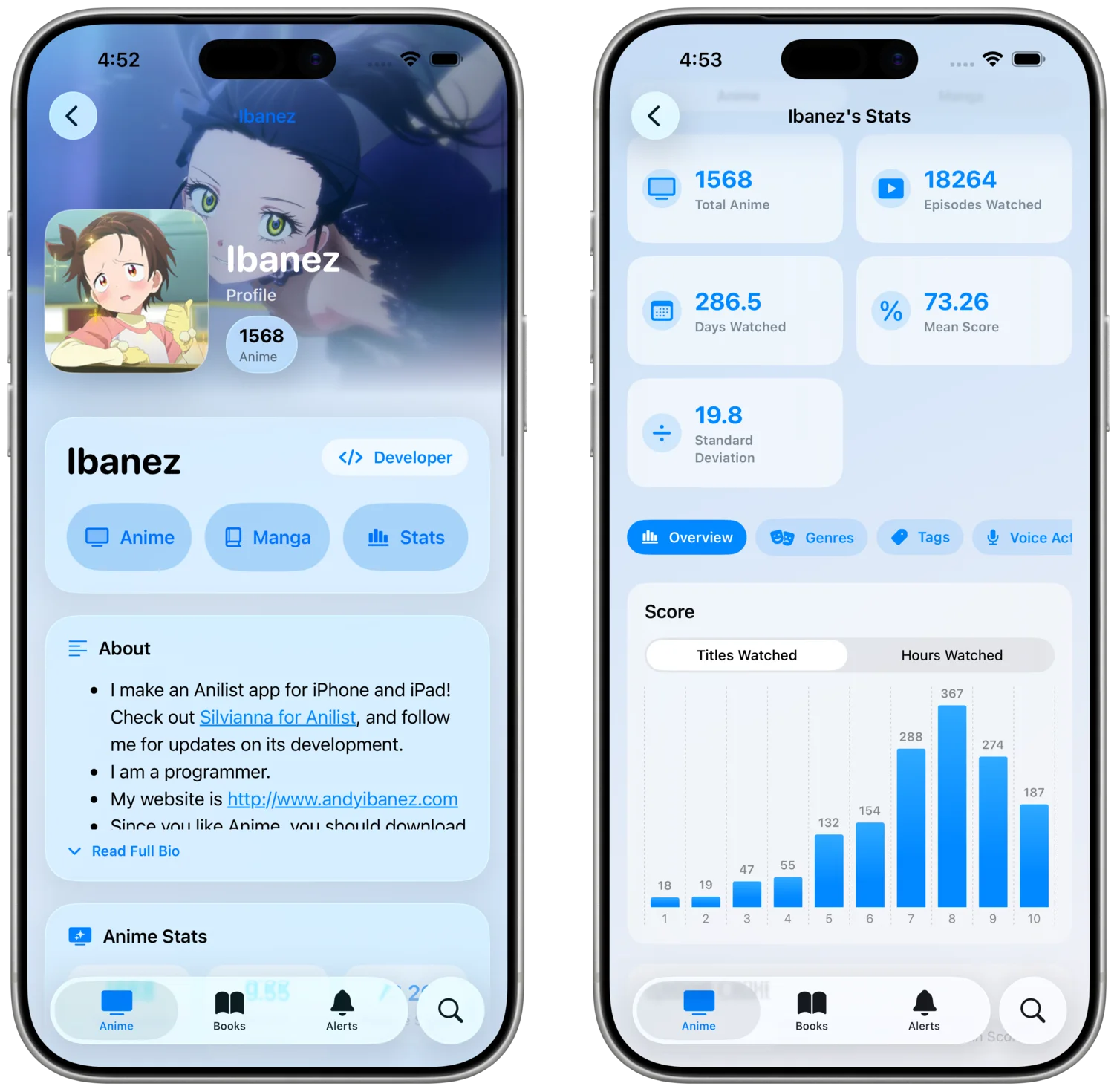
Redesigned user profiles
User profiles have a cleaner layout with refreshed Liquid Glass styling. Stats, favorites, profile details, and the new About Me section are easier to scan, so profiles feel more complete without becoming harder to navigate.
There is also a new detailed stats screen for anime and manga activity. You can explore charts for scores, years, formats, genres, tags, studios, staff, and more. If you use AniList as a long-term record of what you watch and read, this makes your profile more useful than a simple list summary.
At the end of each year, Silvianna will also be able to show you a Year in Review for your anime and manga activity.
Redesigned user lists
Anime and manga lists have been redesigned with more flexible display options. You can use compact layouts when you want density, or table-style views when you want to compare entries more directly.
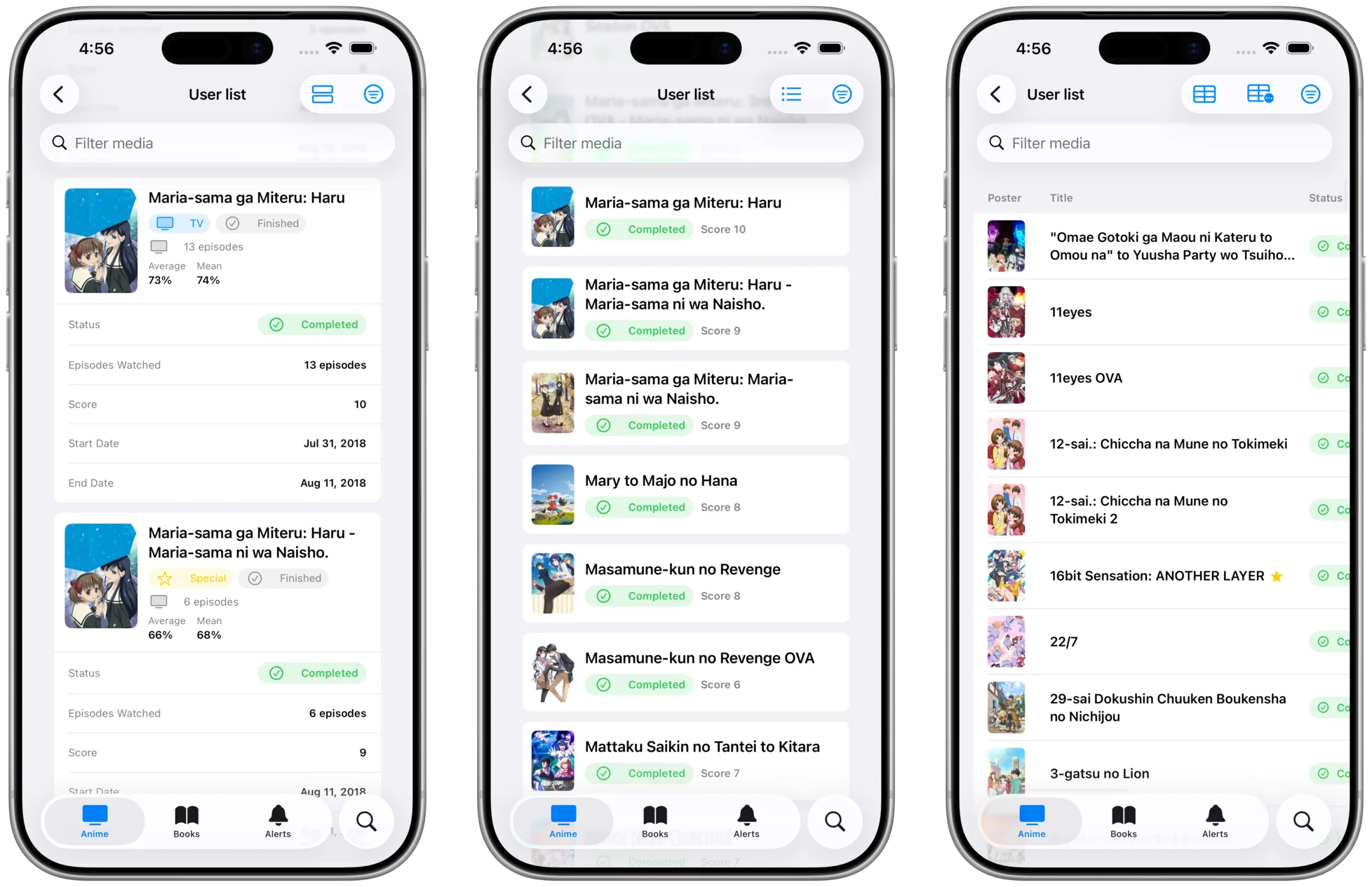
Filtering has also improved. User lists now support tag filters, and filters are applied correctly after opening all lists. This should make large lists easier to narrow down without losing context.
Airing episode Live Activities
Silvianna can now show airing episode Live Activities on the Lock Screen and Dynamic Island. When an episode is starting, airing, or finishing, you can keep track of it without opening the app.
Widgets gained a new release status filter as well, giving you more control over what appears in your Home Screen and Lock Screen setup.
Smarter media adding
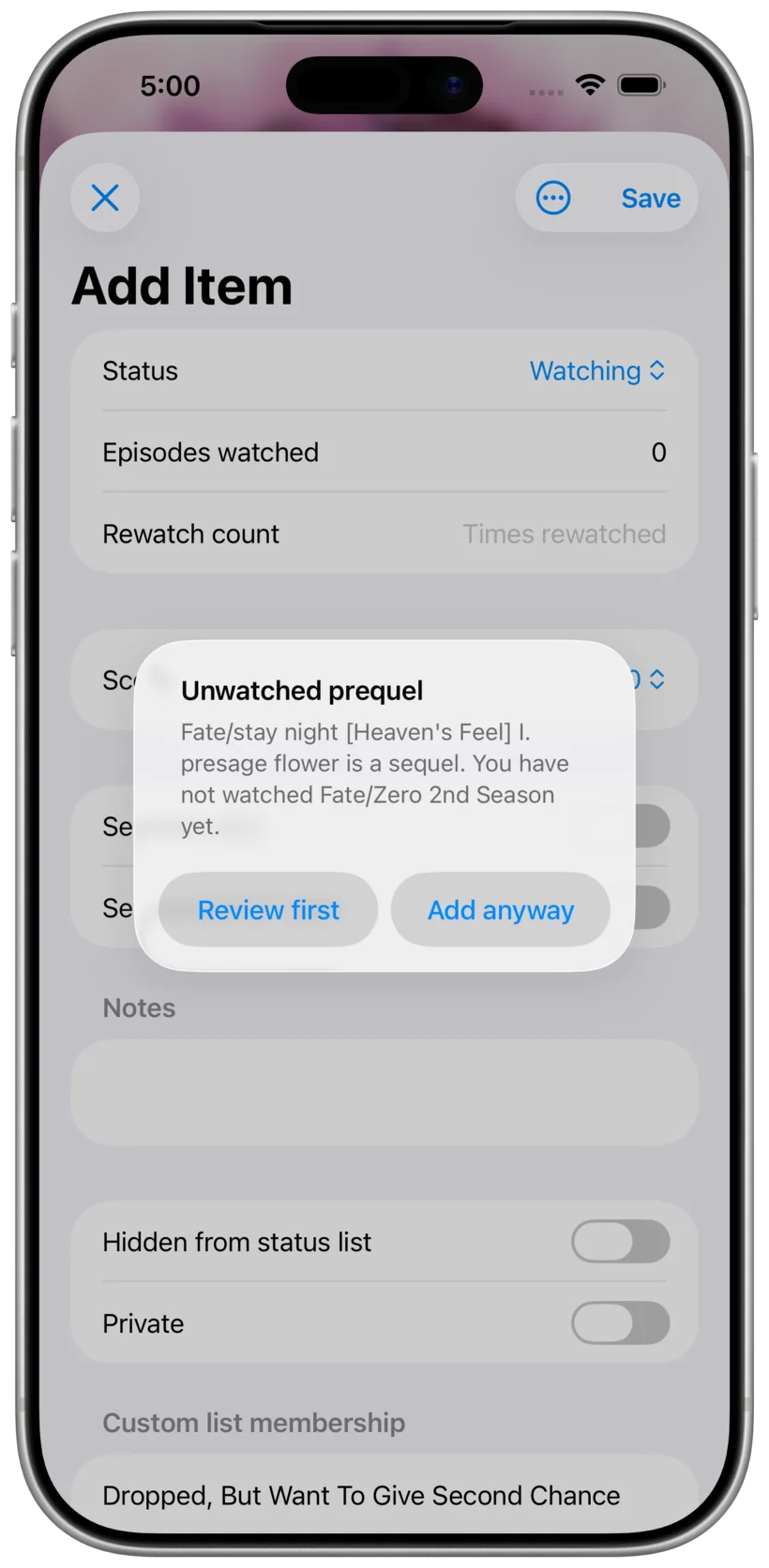
When you add a sequel and earlier entries are missing from your list, Silvianna can now warn you before continuing. This is especially useful for long-running series, adaptations, and franchises with several connected entries.
The app also fixes an issue where adding a brand new anime with an episode count could reject the episode progress you entered.
Better search and discovery
Search receives several practical improvements in this release:
- Quick search now shows more media details before you open a result
- You can search for media by studio
- Advanced Search includes country filters
- Chart results now include media context actions
- Redundant on-list filters have been removed
These changes make search results more useful before you commit to opening a screen, and they make Advanced Search more precise when you already know what you are looking for.
Polish, fixes, and performance
Silvianna 26.3 includes several fixes that should make the app feel more stable:
- Networking has been improved to load data faster and reduce errors
- Markdown views avoid unnecessary rerenders and dropped frames
- Media pages received color and contrast fixes
- Staff and Character text received color, contrast, and information improvements
- Widgets no longer crash in one known scenario and have more consistent colors
- The support email now pre-fills the subject correctly
- Unknown behind episode counts now fall back to a more reasonable default
- Daily schedule counts now sit in a better place in the anime tracking row
There are also several internal cleanups, dependency updates, and review-flow changes that help keep the app easier to maintain.
Silvianna 26.3 is a broad release: profiles, lists, search, widgets, and media management all get better in ways that should show up during normal daily use.